Hotel Booking System - Screenshots
The hotel booking system is easy to install and to use to start taking bookings for your hotel.
View our brief overview of the system below. The screenshots indicate how easy and quick it would take a user to be up and running with the hotel booking software.
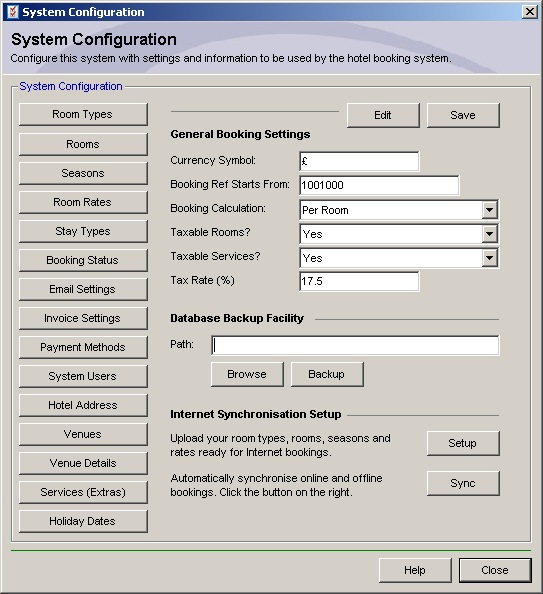
System Configuration

When the hotel booking software is installed on your machine and used for the first time, you will need to setup the system with details related to your hotel. Details that need to be entered include, room types, rooms, seasons, room rates, email settings, invoice settings, system user accounts, hotel address and venue details such as your restaurant tables.
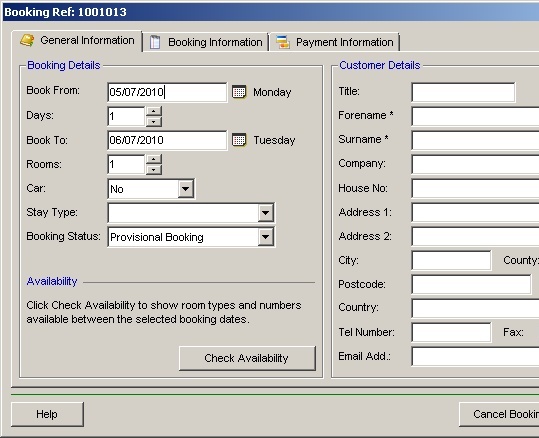
Making a Booking

Now that system is setup with details related to your hotel, you are now able to take bookings. Select booking dates, add customer details, booking information and payment details.
Producing Customer Invoices

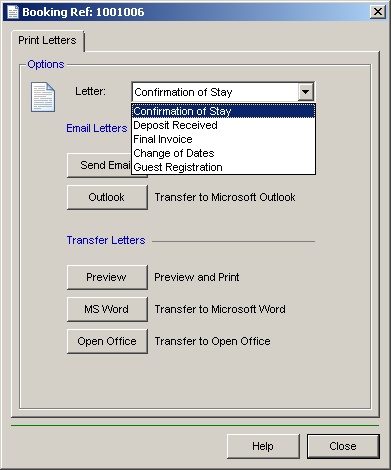
Once the booking is complete you can print the customer invoice or send it via the built in email sender, transfer the invoice to Microsoft Word, Microsoft Outlook or transfer it to Open Office.
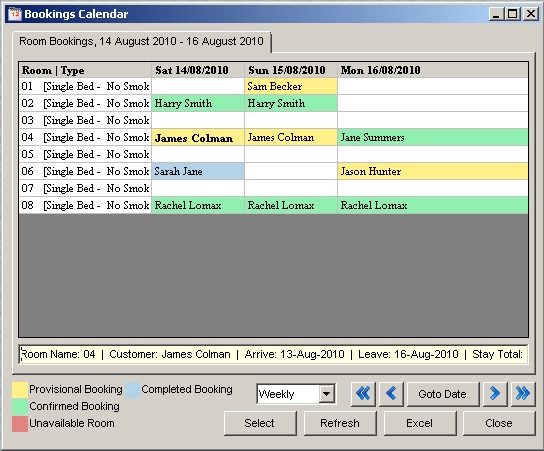
Bookings Calendar

From this screen it is possible to view all bookings for the hotel and their current booking state, i.e. pending, confirmed booking, un-available or completed booking. It is possible to select any date and the calendar will give details of arrivals for those dates. It is also possible to create another booking from this calendar by double clicking an available white coloured cell.
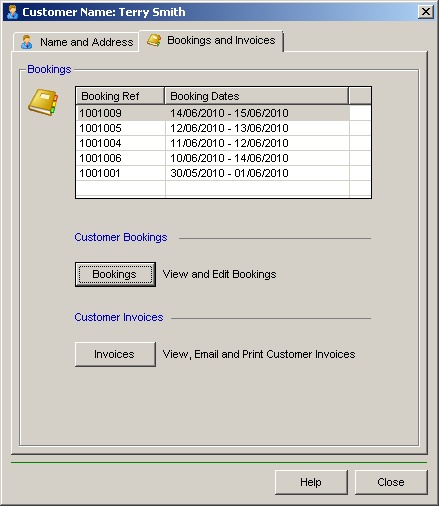
Customer Details and Bookings made

At any time it is possible to search for an existing customer and to view the bookings made by them. From this form you are able to view the booking details to either edit them or cancel the bookings. You can also preview or print extra customer invoices.
Hotel Reports

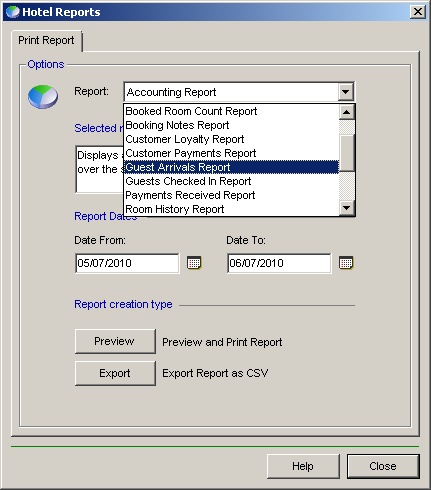
The system comes with a number of reports which will tell the user about guest arrivals, current room state, room allocation, room history, room financials etc... Some reports give an overview of the current state where as other reports can be generated by date selection.
Click here to view more detailed software functionality available. click here to download a free 30-day trial of the hotel booking system.
Hotel Booking System - Hotel Reservation Software - Hotel Management Software - Letting Software - Room Booking System
